

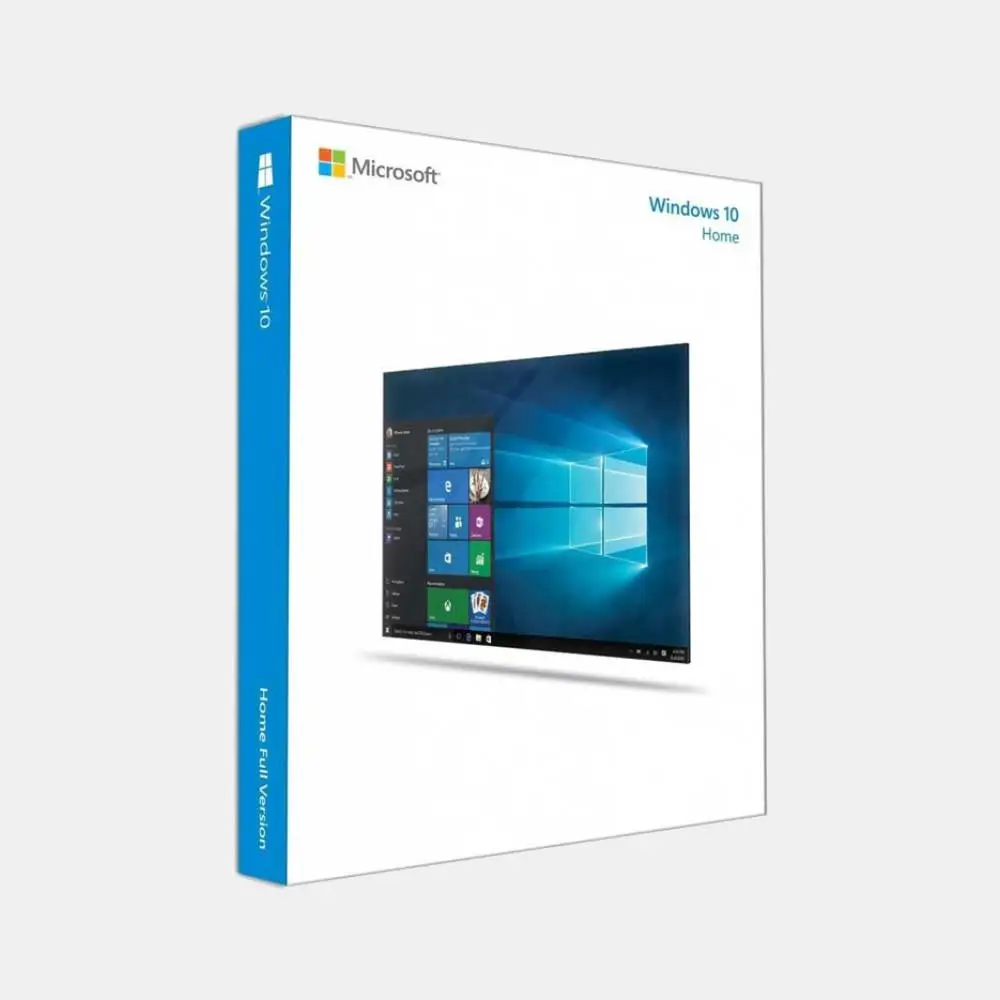
Windows 10 Home USB Box
• Pre-activated USB box edition
• Plug-and-play setup on compatible PCs
• Includes official Microsoft support
• Compact, retail-ready packaging
-
Detail
What is Windows 10 Home?
Windows 10 Home is Microsoft's standard operating system version, specifically designed for
ndividuals and families. It combines the advantages of earlier Windows versions with modern
improvements, creating a familiar yet powerful experience. Windows 10 Home offers all the basic
functions for
daily operations, including browsing the web, editing text, sending emails, watching movies, and playing
games, all packaged in an intuitive and user-friendly interface.What is Windows 10 intended for?
This is an ideal choice for large user files:
The user's computer configuration is moderate: Computers that do not meet the strict hardware
requirements of Windows 11 will run the smoothest and most stably on Windows 10.Students, students: A familiar platform, suitable for all learning software and meeting good
entertainment needs.Family: Provides a safe environment, with tools for parental control, facilitating use by all members.
Office workers: Effectively handles verified daily office work.
Anyone who prioritizes stability, familiarity, and wide compatibility of the operating system has been
proven over the years.
 Depth characteristic analysisWindows 10 Home is a perfect blend of tradition and modernity, offering valuable and practical
functions.A familiar and efficient user interfaceFlexible Start Menu: Windows 10 brings back the favorite Start Menu, combining the classic
application
list and dynamic Live Tiles, allowing you to customize and quickly access important applications.Action Center: A convenient and quick notification and installation center where you can manage
everything in one place, from email notifications, Wi-Fi connections, screen brightness.Cortana Virtual Assistant: Search for information, make appointments, open applications, perform
more voice tasks, making your free time more efficient.Stable performance and good compatibilityWindows 10 is renowned for its stability and compatibility:Widespread compatibility: Performs well across a very broad range of hardware, from the latest
generation of computers to systems from several years ago. It also ensures compatibility with millions of software and peripheral devices on the market.Game optimization: The game mode helps prioritize system resources and the support for DirectX 12,
giving Windows 10 a smooth and impressive gaming experience.Home-wide comprehensive securityWindows 10 Home comes with a powerful set of security tools that can protect you and your family:Windows Security: Includes the upgrade of Microsoft antivirus software defense system, firewall, and
protection against fraudulent websites and malicious software.Windows Hello: Logging into your computer is faster and more secure than ever before. You can do it using your face or fingerprint (requires hardware compatibility).Parental Control (Family Safety): By setting usage time limits, it is convenient to manage and protect
children in the digital world. It can also block inappropriate WeChat and websites.

The differences between Windows 10 Home and Windows 10 ProThis is the key factor that determines which version suits you. Consider the product you need to
purchase:Windows 10 Home Features (Best Personal Choice)Individual users, family users, student users. Professional users, small businesses.Windows is completely secure. Windows Hello. Add BitLocker disk drive encryption to protect lost
data.Remote connection can only connect to another machine. Can act as the host for remote desktop,
allowing others to connect to your host.There is no hyperv virtualization. There is a hyperv to create and run virtual machines.Network managers of companies cannot enter this field. Can participate in the company's domain
network.It is recommended that if you use your computer for personal purposes, learning, home entertainment,
and do not need to connect to a complex company network, Windows 10 Home Edition is perfect,
providing all the functions you need at the most reasonable cost. If you need advanced data security
features or need to connect and manage computers in a business environment, then you need it.To build a complete work and entertainment ecosystem with Windows 10 HomeTo make your Windows 10 Home computer more powerful, you need more basic tools:Office application: Perfectly integrated with Microsoft Office Home and Student 2021 or Microsoft 365
Personal, handling all learning and office work.Download speed improvement: Install the Internet Download Manager (IDM) copyrighted download
software, and games and large files download quickly and stably.Advanced protection: Although Microsoft's protection is very good, professional security solutions like
Kaspersky will provide additional protection, especially payment protection and privacy protection.Purchase and activation of copyright processStep 1: Complete the order: Select Windows 10 Home product, pay through transfer or Momo secure
payment.Step 2: Receive the key by email: Our system will automatically send the 25-character product key to
your email.Step 3: Download the installation program (if necessary): If you have installed a new installation
program, visit the Microsoft homepage, download the media creation tool, and create a USB installation program for Windows 10.Step 4: Copyright activation:For the host that has installed Windows 10: Go to Settings > Update & Security > Activate. Select
Change product key and enter the key you received.For the new installation: Enter the required key during the installation process.Dawn Promise Gold PCLifetime warranty: We promise a "lifetime warranty for the Windows 10 Home key and machine
warranty" to provide absolute security during use.Clear refund policy: If the defective product cannot be activated or does not match the description,
we promise a 100% refund. If the customer wants, they can always choose a new product.Technical support commitment: If you encounter difficulties during installation or activation? Contact:
Zalo 0586280000 or 0896909666 to obtain free advice and support.Security cost: Own a stable, secure, and costliest operating system. We promise to provide genuine
keys to make your computer run smoothly and be protected.Common questions - Common questionsHow long can Windows 10 Home support? Microsoft announced that it will continue to provide security updates for Windows 10 until October 14, 2025. After this, the operating system will continue to work
normally, but will not receive new security patches.Can I upgrade from Windows 10 Home to Windows 11 Home for free? Yes. If your computer fully meets the hardware requirements for Windows 11 (such as CPU, RAM, TPM 2.0, and secure boot), you can
upgrade it for free directly through Windows Update.What are the main differences between the 32-bit and 64-bit versions? The 64-bit version can handle
larger memory (more than 4GB) and provides better performance for heavy tasks and modern software. Most current computers should have the 64-bit version installed. The 32-bit version is only suitable for
very old 32-bit CPU computers.Can this key be used for upgrading from Windows 7 or 8.1? Yes. You can activate this key after the
upgrade is completed. You can directly upgrade from Windows 7/8.1 to Windows 10 Home or perform
a new installation (clean installation).Why should I purchase the copyright instead of using cracked tools online? Using Windows copyright
ensures that your system remains clean, stable, and receives all important security updates from
Microsoft. Cracked tools often come with viruses, and malicious code can steal personal information,
slow down the machine, and cause serious system failures.If I reinstall, can I still use this key? Yes. The key will be connected to the hardware of your machine.
As long as you install Windows 10 Home on the same computer, the operating system will automatically recognize it and reactivate the copyright after you connect to the internet. The biggest difference
between the windows is... -
Customer ReviewsNo comments